



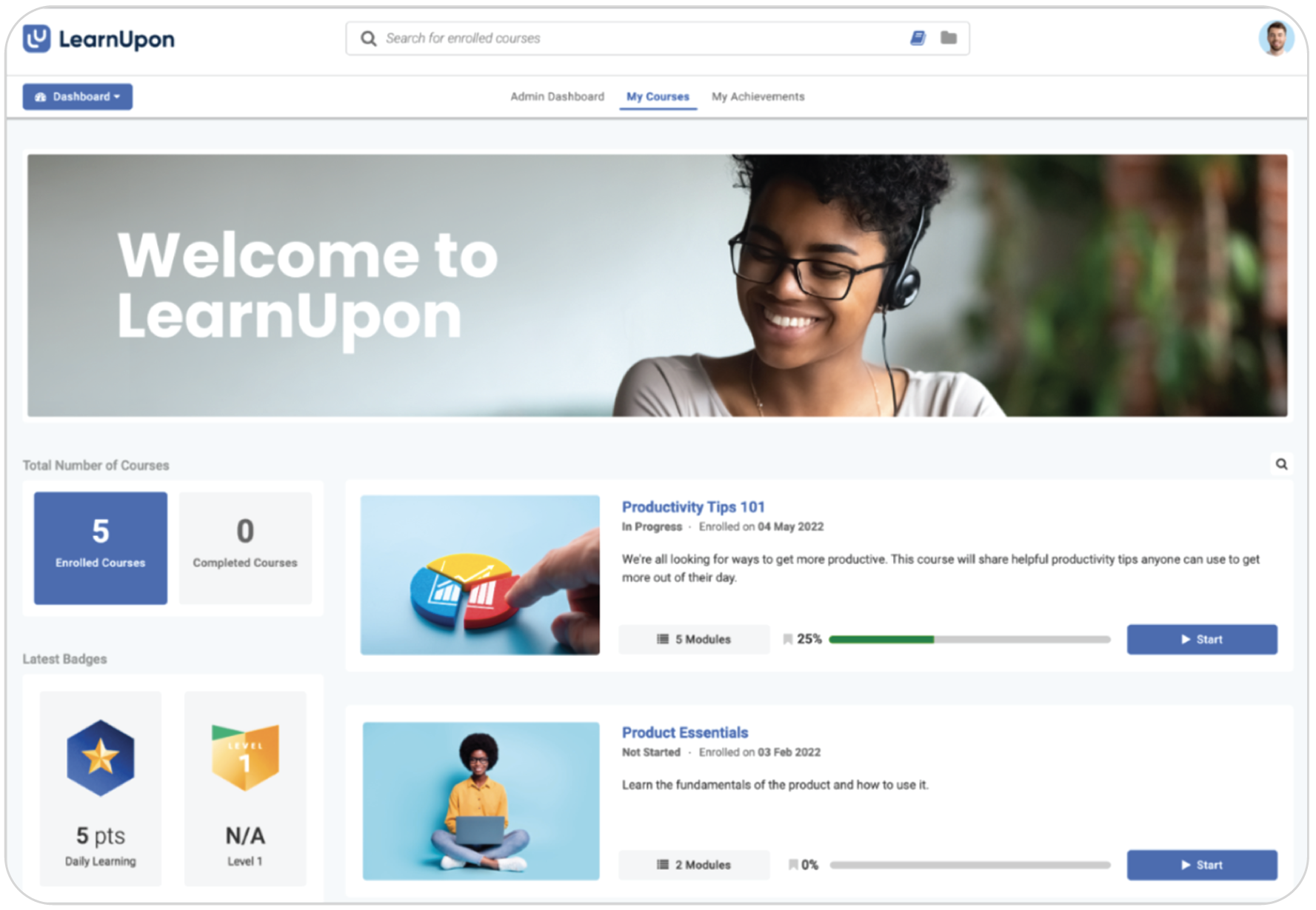
LearnUpon is a robust platform designed for structured corporate environments. It excels at managing complex team structures and connecting with other business software. It is typically chosen by organizations that need centralized control to manage access for large teams.
However, that level of complexity often slows you down. Companies frequently start looking elsewhere when they need more agility or realize the structured, enterprise-first approach feels too heavy for their actual culture. It ofter comes down to needing a tool that reduces the admin burden, launches courses instantly, and offers pricing that scales with your growth.
We analyzed the market to find the best alternatives for 2026. Here’s a breakdown of the top platforms that might fit your team better.
Top LearnUpon alternatives
***Information last updated: December, 2025.
How to choose the right LearnUpon alternative for your needs

LearnUpon is a powerful employee training software, but it isn’t designed for everyone. It is built primarily for mid-sized to large enterprises that need a highly structured, compliance-focused environment. If your organization doesn’t fit that specific mold, you might find the system creates more friction than flow.
Let’s explore at the main reasons teams start looking for a LearnUpon alternative:
- They need more flexible reporting. LearnUpon is excellent at tracking who did what for compliance purposes. However, many L&D leaders find the reporting rigid when they need to dig deeper.
- The price of entry is high. LearnUpon is a premium, enterprise-grade solution, and it is priced like one. It’s often out of reach for smaller teams or growing businesses that need a scalable LMS without a five-figure annual commitment.
- They want built-in content. LearnUpon is a “bring your own content” system. It doesn’t come with a preloaded library of off-the-shelf courses. If you want to start an engaging training program quickly, you’ll need to build it from scratch or buy it from a company that sells large scale training programs.
- It requires technical expertise. Because it’s robust, LearnUpon can be complex to manage. Some users report that the backend is “click-heavy” and requires a dedicated administrator with some technical expertise to run smoothly.
Brittany M on G2 summed up this “great but complex” dynamic perfectly:
“Our experience with LearnUpon has been largely positive, thanks to its strong organizational tools, customization options, and a user-friendly learner interface… However, there are areas where the system could improve. Setting up a single course can be quite time-consuming, and the inability to list admins as managers of groups limits functionality. Additionally, organizing courses on the back end is cumbersome… Lastly, the system retains older versions of courses in the course list…”
LearnUpon alternative #1: TalentLMS

Rating: 4.6/5 (784 reviews)
LearnUpon often feels like a construction project that takes months to finish. TalentLMS feels like opening a new laptop. It just works. You can build a fully functional academy in an afternoon without calling the IT department for help. It removes the technical friction so you can spend your time building great corporate training instead of fighting with settings. On top of that, it also has the most transparent and cost-effective LMS pricing model out of all the options on this list.
Why we picked it:
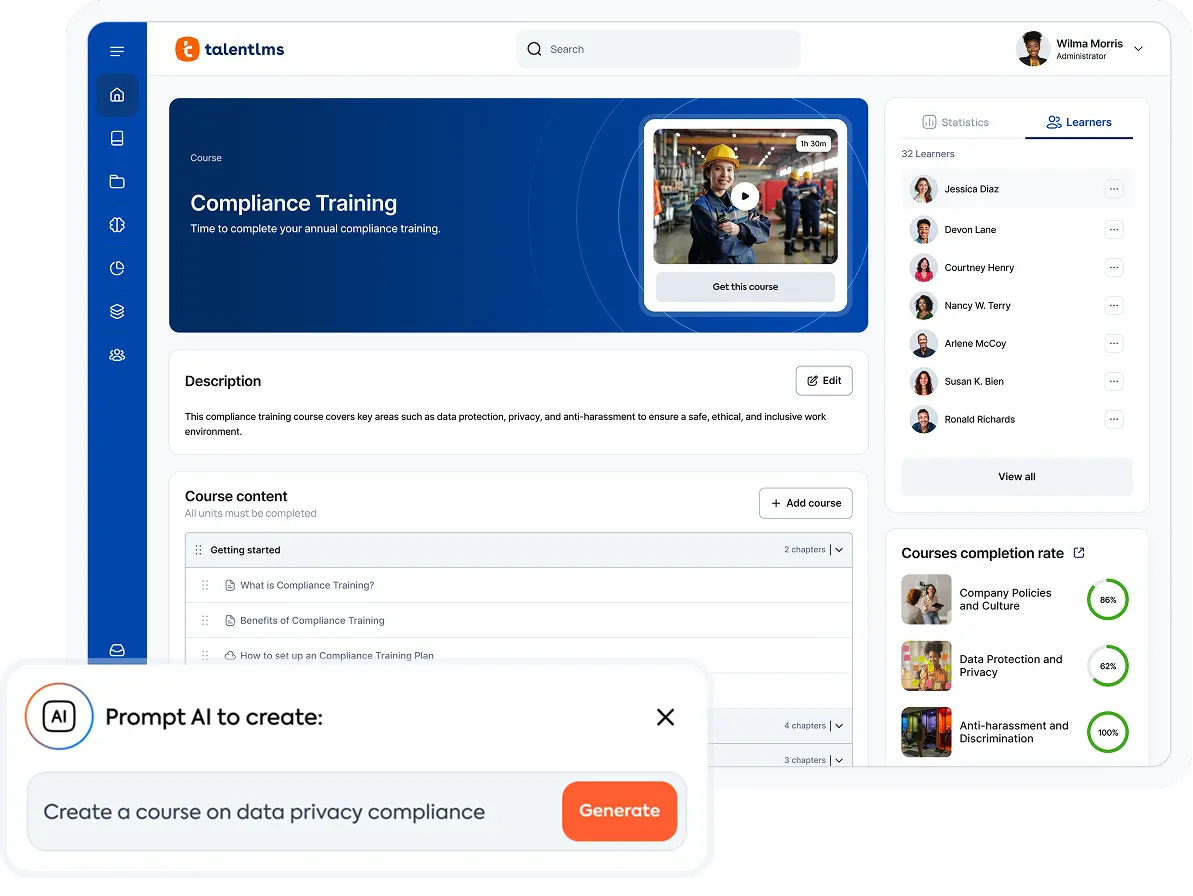
You choose this platform when you want the power of an enterprise tool without the enterprise headache. Most systems force you to hire an administrator just to keep the lights on. TalentLMS automates that busy work. It also solves the content problem we mentioned earlier. You don’t need to buy expensive external software because it comes with TalentCraft, an AI tool that creates courses for you. The intuitive interface is clean enough for any employee to figure out, but the backend has enough muscle to handle complex “Branches” for training different partners or departments.
Pros
- No technical expertise or IT support required
- Fast onboarding and course setup
- Built-in gamification
- Transparent pricing with no hidden costs
- Customizable portals (“Branches”)
Cons
- Not ideal for educational institutions
- Very intricate, complex customization options not available
- Fewer social learning options
- Doesn’t offer local hosting
Key features:
- AI-powered course creation (no expertise/IT needed)
- Gamification, certificates, robust engagement tools
- Flexible branding, multi-domain portals, LTI 1.3 support
- Deep analytics and reporting
- SCORM/xAPI, LTI, and white labeling
- Native mobile apps for iOS and Android
- Video conferencing support for Zoom and Teams
Best for: SMBs, rapid deployment, employee/customer/partner training, onboarding, compliance, and organizations seeking cost-effective AI LMS solutions with powerful features.
Pricing: Free plan available. Premium trial. Paid plans start from $119/month for up to 40 users. See pricing here.
What TalentLMS users are saying on G2
The Good
“TalentLMS provides a solid foundation in managing employee and external registrations. I use TalentLMS everyday. The ease of navigation is self explanatory and the ease of implementation is a simple click process. The homepage is like an executive report, providing a high level overview of training, logins, completions over specified periods.” — Riaan R., 5/5 stars
The Room for Improvement
“Any SaaS product has things that are not perfect, […]. But that does not concern me because they always listen to my questions and concerns, follow up and either help me achieve my goals or confirm my concerns, and explain the situation. Reasonable customers and work with minor issues as long as the communication is good.” — Verified User, 5/5 stars
LearnUpon alternative #2: Absorb LMS
Rating: 4.6/5 (794 reviews)
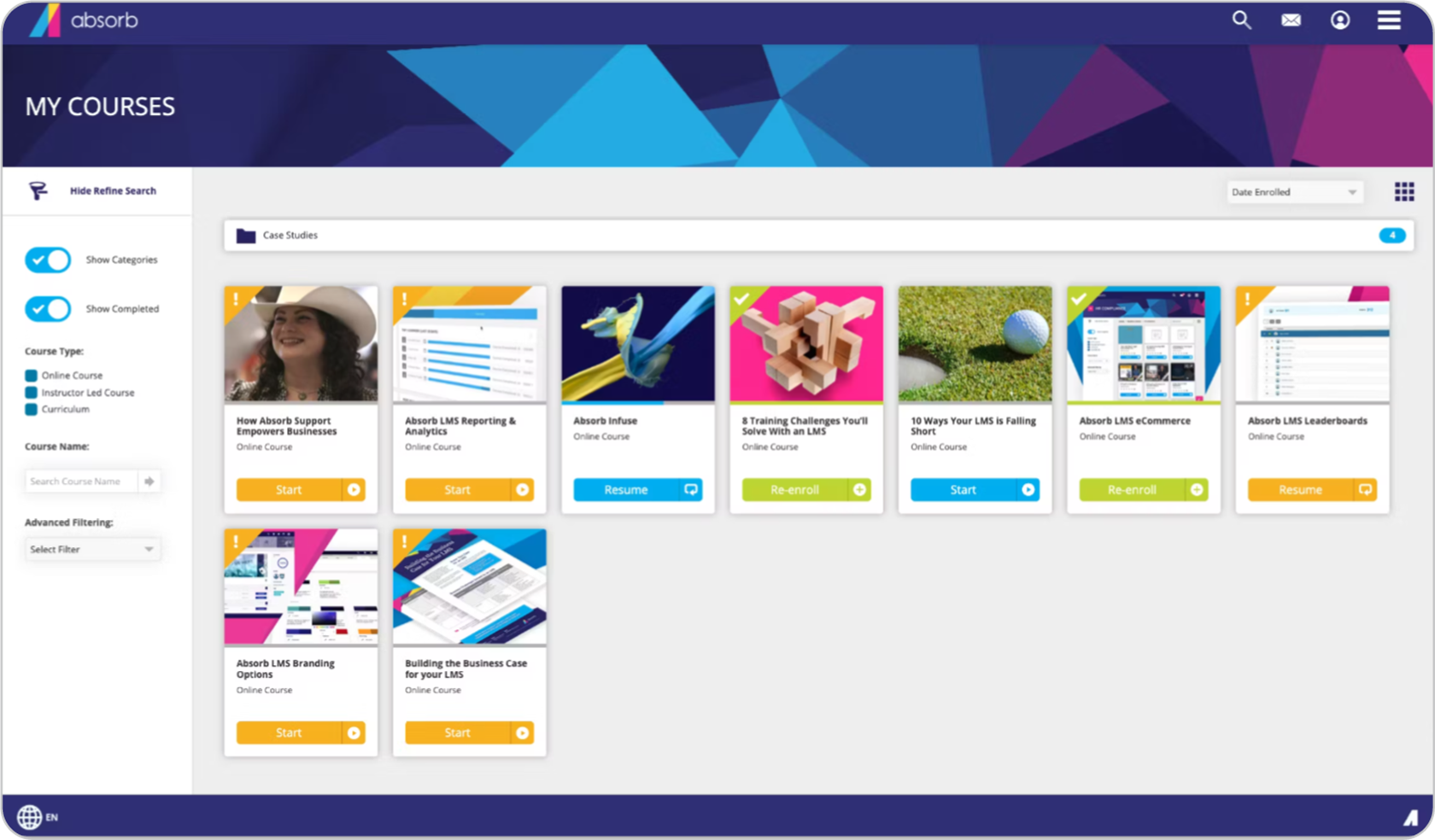
Absorb LMS is a heavy-hitter designed for large organizations that want enterprise power without the outdated, clunky interface. It combines the deep functionality of a legacy system with a modern, sleek design.
Why we picked it:
Absorb is built to handle heavy complexity. Where LearnUpon feels rigid, Absorb offers deep control, allowing you to automate specific workflows. It is a powerhouse for organizations that prioritize detailed control over cost. If you need to manage thousands of learners with distinct regulatory requirements, Absorb has the muscle to do it, provided you have the time to set it up.
Pros
- Compliance-focused, automates complex workflows
- Customizable training environments
- Responsive UI, intuitive reporting
- Integrations with HRIS, Salesforce, and more
Cons
- No public pricing available
- May be challenging for smaller SMB teams
- Extra costs for some advanced features
- Setup process can be lengthy
Key features:
- Advanced automation/enrollment
- Deep compliance features and reporting
- Mobile-friendly, modern UI
- SCORM/xAPI integration
- Custom branding options
Best for: Large organizations, compliance-heavy industries, and global deployments.
Pricing: No public pricing available. Contact the vendor for details. Sources suggest a range of ~$6–$12 per active user.
What Absorb LMS users are saying on G2
The Good
“The LMS side is a solid and reliable platform. It allows me to publish and manage content, enroll learners, generate reports, and now even create content. Our CSM is great and always helpful and [expedient] in solving issues that come up or situations that require brainstorming.” – Carrie B., 4/5 stars
The Room for Improvement
“Implementation can be slow and support varies; more clarity on integrations would help.” – Verified User, 3.5/5 stars
LearnUpon alternative #3: Docebo
Rating: 4.4/5 (672 reviews)
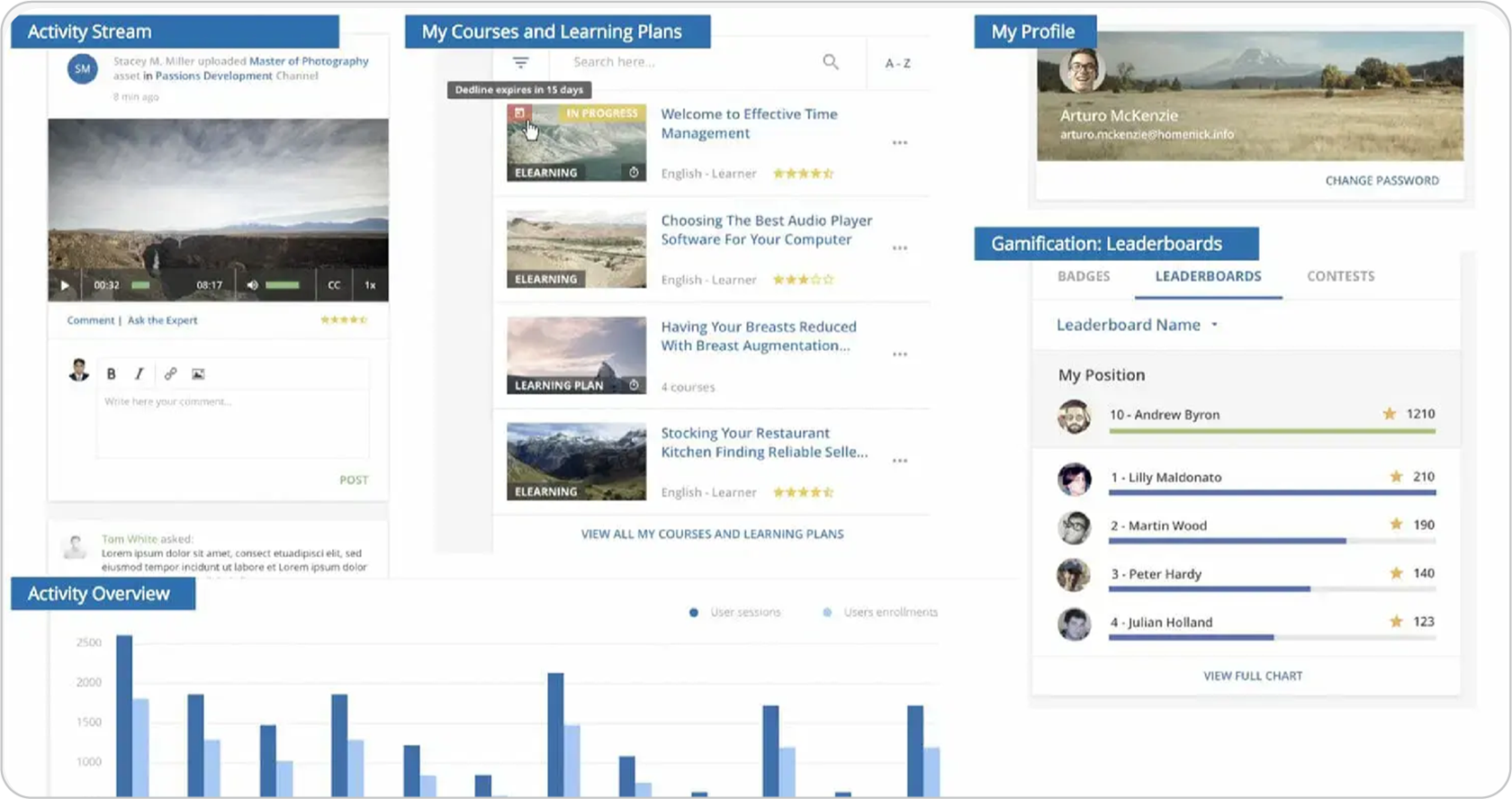
Docebo is the premium choice for enterprises that have outgrown the standard learning process. It uses a sophisticated AI engine to create a “Netflix-like” experience, serving up personalized content to each employee based on their role and behavior.
Why we picked it:
Docebo shines when you need a good social learning experience and deep personalization. It lets you white-label the platform so convincingly that it looks exactly like your own brand, not a third-party tool. If you need to train thousands of people and want the system to do the heavy lifting of matching content to engage learners, this is a good choice.
Pros
- AI-driven learning platform
- Deep analytics and reporting capabilities
- Strong white-labeling
- Large integration ecosystem
Cons
- High price point for growing teams
- No published pricing
- Implementation may require IT support
- Advanced features may add complexity
Key features:
- AI-driven recommendations and learning pathways
- White-labeling with extensive customization
- Detailed advanced analytics and learner insights
- Automated enrollments and workflows
- Social learning and collaboration tools
Best for: Large enterprises, personalized learning tracks, and advanced workflows.
Pricing: No public pricing available. Contact the vendor for details. Sources claim that pricing starts at $25K.
What Docebo users are saying on G2
The Good
“Docebo provides a highly customizable platform that allows us to tailor the learning experience to reflect our company’s branding and voice. With HTML/CSS customization, catalog control, and flexible navigation, we’ve been able to create an environment that feels integrated with our internal tools. The API and bulk CSV options make it easier to automate and scale learning operations efficiently.” – Avery G., 4.5/5 stars
The Room for Improvement
“Complexity is certainly a price for the flexibility offered by Docebo. Once configured, things may be made simple, but getting there requires an in-depth study of the platform’s inner workings and nuances. If you’re planning to make real use of the enterprise features and your requirements are spanning multiple audiences, multiple contributors, content types, integrations, etc. it’s not a system, that you can set up without any preparation in a day, week, or [even] a month.” – Aleksander O., 4.5/5 stars
LearnUpon alternative 4: iSpring LMS
Rating: 4.6/5 (119 reviews)
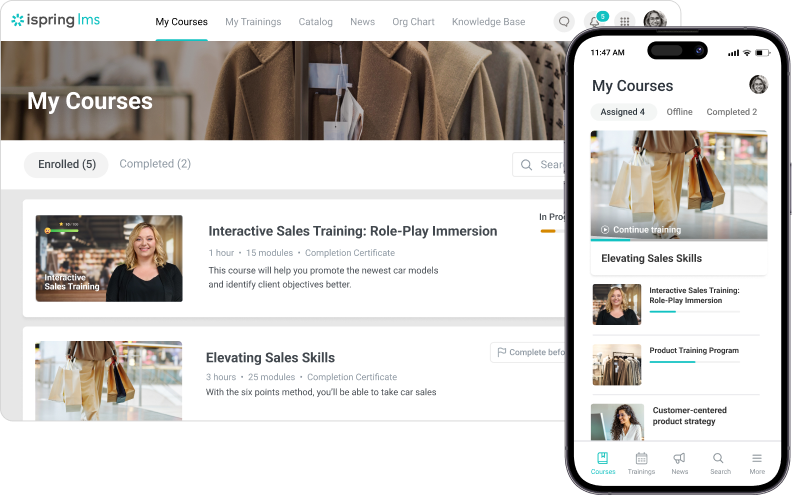
LearnUpon is a “container” for your content. iSpring Learn is different because it’s a “creator” first. It connects directly to the tools you already use. You don’t need to struggle with file uploads or complex export settings. You simply build your slides in PowerPoint and publish them directly to your learner’s screen.
Why we picked it:
iSpring Learn is a great choice for teams that need to move fast. It removes the “content tax” we warned you about with LearnUpon. You also don’t need to buy a separate $1,400 license for an authoring tool because creating and managing online courses is baked right into the software.
Pros
- Fast PowerPoint conversion, easy authoring
- Responsive support team
- Intuitive UI for most core tasks
- Cost-effective for SMBs
Cons
- No real advanced reporting for compliance
- Customization of modules and branding is limited
- Some alerts and translations often need manual steps
- Some admin processes (e.g. setting up certificates, user fields) are cumbersome
Key features:
- Built-in authoring tools
- PowerPoint to eLearning conversion
- SCORM, xAPI, and mobile readiness
- Supervisor dashboard and performance tracking
Best for: SMBs, content creators, instructor-led or blended learning, and organizations that need to launch courses quickly.
Pricing: Paid only. Plans start ~$6.70/user/month.
What iSpring LMS users are saying on G2
The Good
“My experience with iSpring has been very positive so far. The software is easy to operate, and the support team is very helpful and efficient – whenever I have any questions, I receive quick and professional assistance.” – Anna K., 4.5/5 stars
The Room for Improvement
“Have faced several issues in the past where users were not able to access courses and admins were not able to view user course completion or quiz submission.” – Anil Raj V., 3/5 stars
LearnUpon alternative #5: Tovuti LMS
Rating: 4.6/5 (293 reviews)
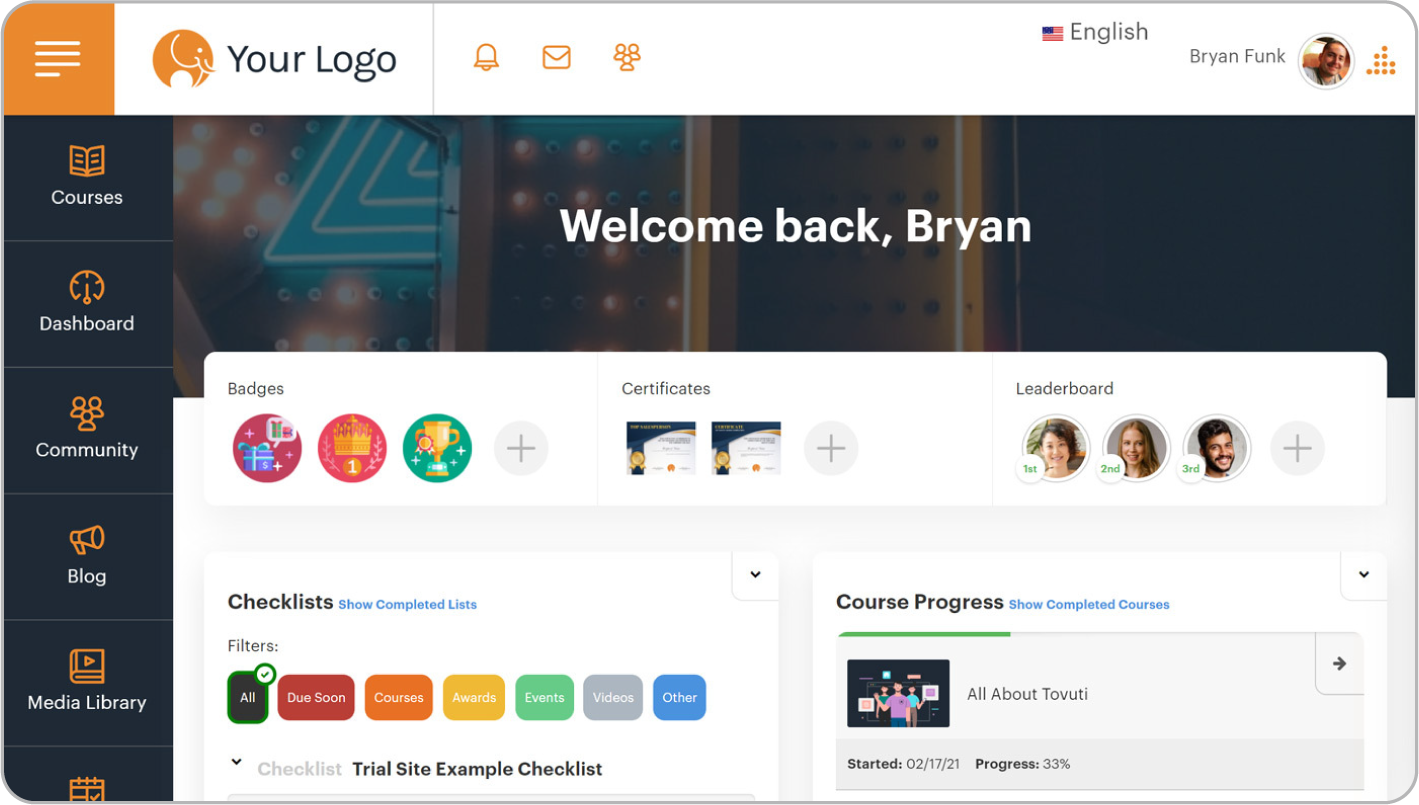
While LearnUpon acts like a digital library where you go to file paperwork, Tovuti operates more like a social feed where your employees go to learn. It replaces the “compliance database” feel with a system designed to grab attention and keep it.
Why we picked it:
Tovuti solves the engagement crisis better than almost all the other tools on this list. Most L&D teams struggle to get people to log in. Tovuti uses over 40 different gamification tools to fix that. You can build leaderboards, award badges, and create actual competitions between departments. It also includes “Dizi,” an AI assistant that cures writer’s block. You can paste a rough policy document into the system, and Dizi will build a gamified lesson from it in seconds.
Pros
- 40+ gamification options, Dizi AI assistant
- Pre-built course library
- Custom branding and white labeling
- Custom integrations
Cons
- On the higher end according to LMS market standards
- Setup and admin can be complex
- Occasional platform glitches
- Steeper learning curve for some admins
Key features:
- Gamification (badges, leaderboards, points, achievements)
- AI-powered course assistant (Dizi)
- Custom branding, white label options
- Pre-built content library covering compliance and skills training
- Compliance tracking, mobile-friendly
Best for: Growing SMBs, companies emphasizing learner engagement, and organizations requiring extensive customization.
Pricing: No public pricing. Some sources claim that the starting price is a ~$775/month for up to 50 users. Contact the vendor for more details.
What Tovuti LMS users are saying on G2
The Good
“The layout and the level of support are amazing! The set up was easy and we felt taken care of the entire time.” — Julie D., 4.5/5 stars
The Room for Improvement
“Tovuti has felt more like an impediment to our business goals rather than an accelerator. It served its purpose well, but Tovuti is clearly designed for large organizations who warrant attention from their subscription cost or for very small organizations who are comfortable with the compromises on platform robustness. Anyone in between should look elsewhere.” — Verified User, 2/5 stars
LearnUpon alternative #6: Litmos
Rating: 4.3/5 (677 reviews)
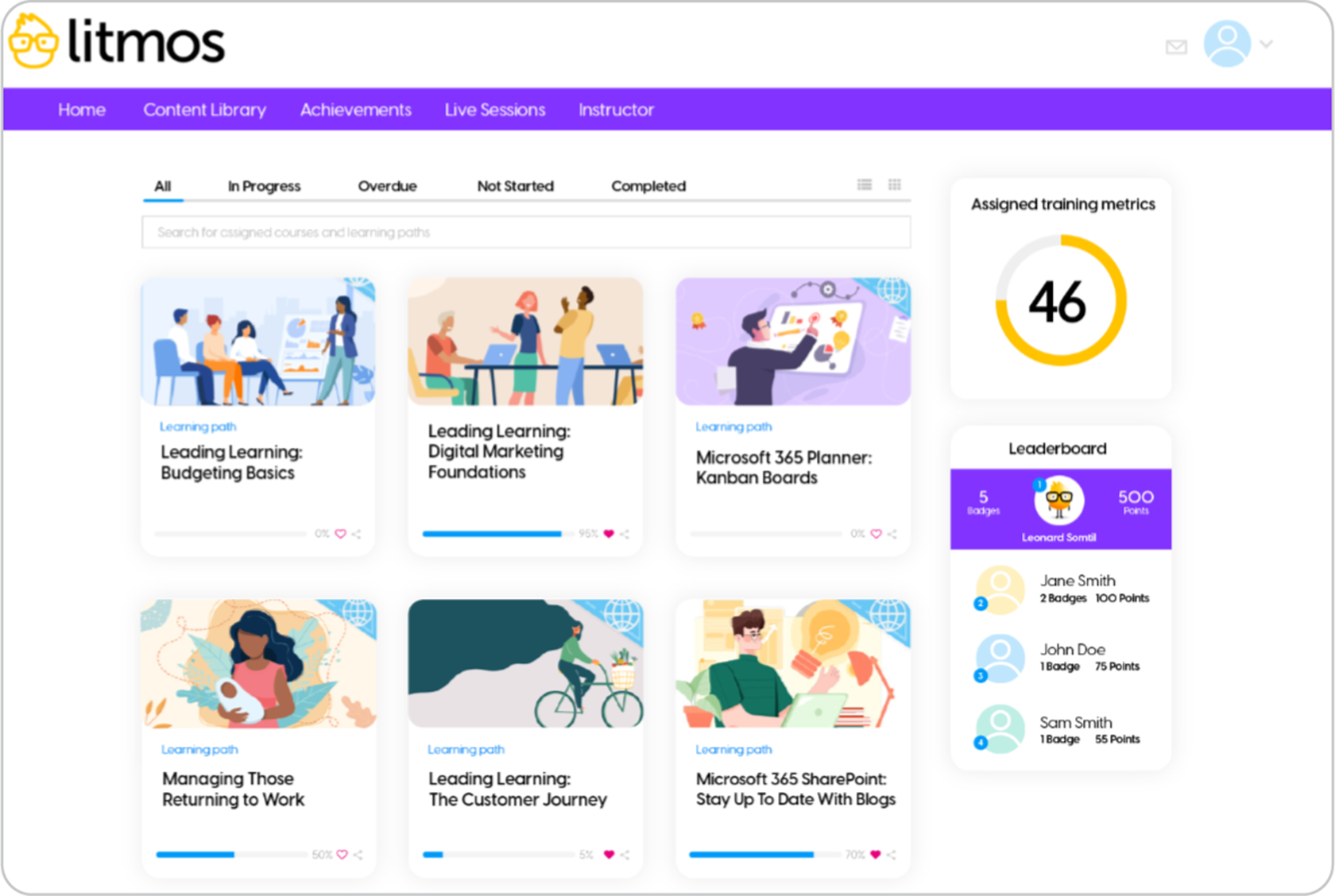
If LearnUpon is a beautiful but empty house, Litmos is a fully furnished condo. You don’t have to spend months building content from scratch (filling the house) because the system gives you a massive library of off-the-shelf courses the moment you sign the contract.
Why we picked it:
Most compliance projects stall because nobody has time to write the content. Litmos solves this with a library of over 2,500 pre-built courses covering everything from cybersecurity to soft skills. It also integrates deeply with Salesforce, which makes it a favorite for sales teams who want to train reps without forcing them to leave their CRM. You trade some visual customization for the ability to deploy instantly.
Pros
- Built-in library of 2,500+ compliance courses
- AI-powered learning assistant, gamification
- SAP integration
- Rapid deployment
Cons
- Limited customization compared to competitors
- Basic analytics compared to enterprise platforms
- Customer support response can be slow
- Not transparent pricing – requires contacting vendor
Key features:
- AI learning assistant for personalized recommendations
- Gamification and social learning features
- Native SAP/Salesforce integration
- Mobile learning with offline capabilities
Best for: Organizations needing quick deployment, Salesforce/SAP users, compliance training, and companies prioritizing speed over deep customization.
Pricing: No public pricing. Sources claim that pricing starts at ~$6/user/month (150+ users). Contact vendor for more details.
What Litmos users are saying on G2
The Good
“Litmos is a robust LMS that offers strong functionality paired with excellent customer support. It is well-suited for organisations aiming to confidently scale their learning programmes.” — Kira S., 4.5/5 stars
The Room for Improvement
“Litmos’ platform has many issues. The support for these issues is all external to US and typically slow and doesn’t resolve issues. Typically I have to troubleshoot and resolve on my own. The platform is not scalable and especially not useful for teams outside of computers. They don’t offer classroom style training for manufacturing. Setting up the system is very difficult and not user friendly, meaning a few admins have to do the majority of the work.” — Verified User, 2.5/5 stars
LearnUpon alternative #7: Moodle
Rating: 4.1/5 (438 reviews)
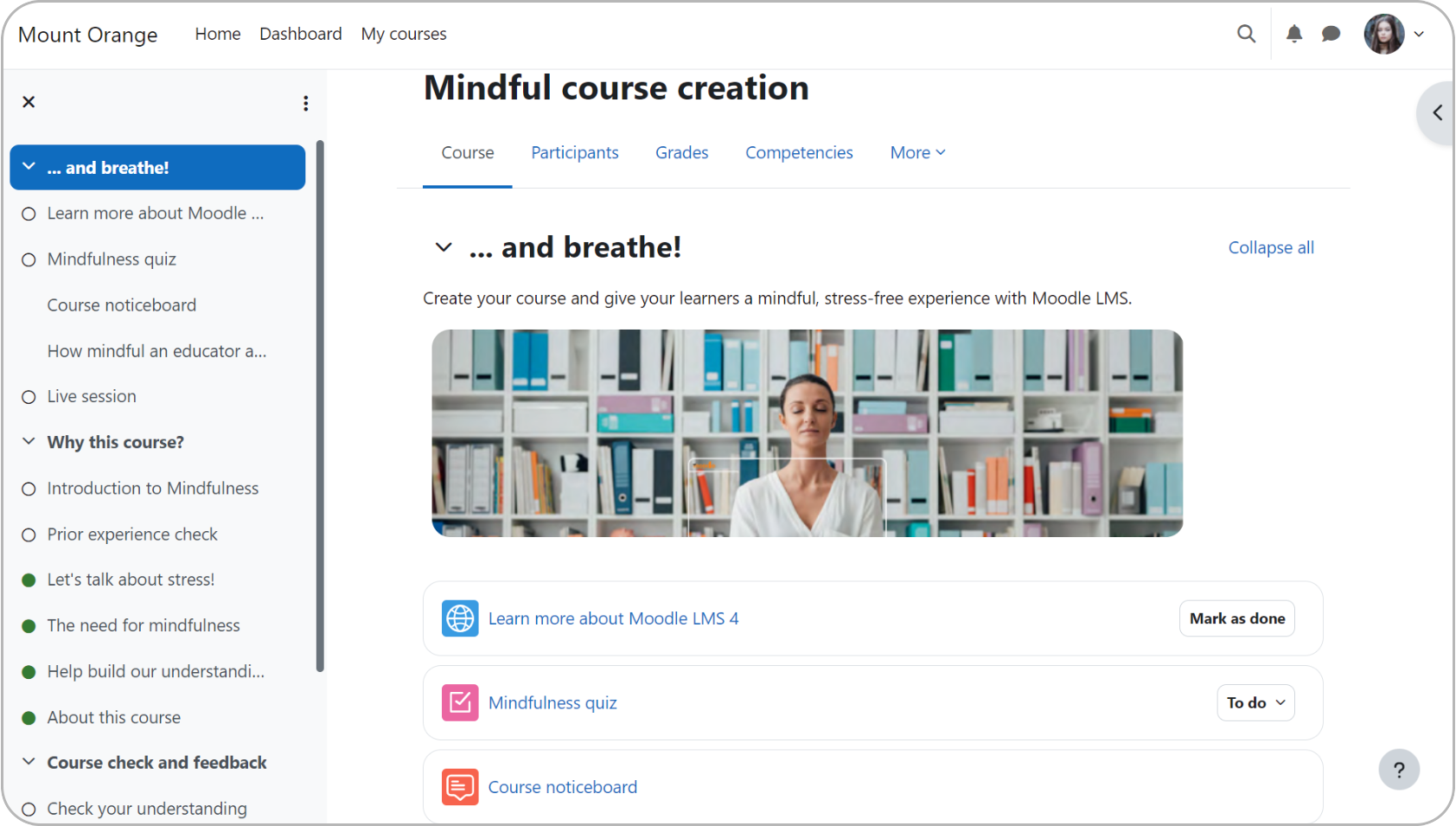
In the LMS world, Moodle is like buying your own plot of land. You can build a castle, a university, or a spaceship if you have the architects to design it. It’s the only true open-source option on this list. That means the code belongs to you. You never have to wait for a vendor to release a new feature because your team can just build it themselves.
Why we picked it:
Moodle is the only platform that gives you full customization control. LearnUpon restricts you to their specific way of doing things. Moodle lets you rewrite the rules. It’s the standard for organizations that need specific, complex workflows that off-the-shelf software can’t handle. You trade simplicity for total control. It’s also a budget-saver if you have an IT team, since the core software is free to download.
Pros
- Open-source
- Unlimited customization possibilities
- Large global community support
- Extensive plugin and theme marketplace
Cons
- Requires technical expertise to implement and mange
- Hosting and maintenance costs apply
- Default design is clunky compared to modern tools
Key features:
- Complete open-source customization
- Extensive plugin and theme marketplace
- Advanced assessment and grading tools
- Multi-language and global deployment support
- Community-driven employee development and support
Best for: Educational institutions, organizations with IT resources, and budget-conscious deployments that require high customization
Pricing: Free plan available. Hosting, maintenance, and support costs vary by provider. Paid managed plans start at $200/month for up to 50 users.
What Moodle users are saying on G2
The Good
“What sets Moodle apart from other platforms is that it has flexibility and customization [options]. It allows for more control over the course design, enabling instructors to tweak and adjust content more easily. I’d say Moodle is a very powerful tool, it has so much flexibility.” — Bernadette A., 5/5 stars
The Room for Improvement
“I find Moodle problematic due to its cost concerns. It’s not free of charge, which is a significant barrier for my clients who are looking for very low-cost or free-to-use solutions. Moodle may be suitable for institutions requiring a lot of functions, but it’s not simple or affordable enough for users who cannot afford it or are in the initial stages of needing such a platform” — Rachel L., 1/5 stars
Which LearnUpon alternative to choose
The right choice doesn’t depend on which platform has the most features; it depends on your team’s size, budget, and how quickly you need to launch.
The top pick for growing businesses
TalentLMS is designed for businesses stuck between platforms that are too complex to manage or too basic to fuel real growth. It hits the sweet spot: simple enough to launch fast and prove value sooner, but powerful enough to scale without the hassle of high costs. With robust AI capabilities and deep reporting, it makes impactful training accessible to everyone.
For complex, global operations
If you are a global organization with thousands of employees and a dedicated L&D department, look at Absorb LMS or Docebo. They provide the heavy-duty automation and compliance depth required for massive scale, provided you have the budget and implementation time to support them.
The specialists
- Need built-in content? If you have no courses and need to launch tomorrow, Litmos (with its pre-built library) is your fastest route.
- Living in PowerPoint? If you just want to upload slides, iSpring Learn is the most efficient converter.
- Need more engagement? If your primary goal is “fun” over “structure,” Tovuti LMS offers the deepest gamification tools.
- Building a university? If you are an educational institution with a full IT team, Moodle offers the open-source code you need to build a custom solution.
Still not sure? For a step-by-step checklist, read our guide on how to choose an LMS.
FAQs
What’s the best “free” LearnUpon alternative?
Some free LMS options are TalentLMS, Moodle, and Canvas. Moodle and Canvas are both geared towards education, while Moodle also has costs associated with hosting. The best solution is a freemium option, like TalentLMS, that offers up to 5 users and up to 10 courses for free (forever).
How should I budget for an LMS with “custom pricing?”
To calculate the true cost, ask for a breakdown of fees beyond the per-user license. Be specific: request costs for implementation, data migration, support packages, and extra charges for premium features. If you need extra information, you can read our guide here.
What’s the biggest challenge when migrating from LearnUpon to a new platform?
The hardest part is cleaning and exporting all of your historical completion records, user transcripts, and SCORM files. Before you migrate to a new platform, get a clear answer on how the vendor handles migrations and onboarding.
How long does it really take to launch a new LMS?
Timelines depend on the platform. A cloud-based system like TalentLMS typically goes live in 1–4 weeks. Heavy enterprise platforms like Docebo or Absorb often require 3–6 months for IT integration, while building a custom open-source solution can take 6+ months.
